Put your SaaS metrics on your iPhone Home Screen in 2 minutes
Push any number from your app, like total accounts, paid subscriptions, or MRR, to a Home Screen or Lock Screen widget with a single HTTP request. No SDK. WidgetDash doesn’t care where the number comes from.
Before you start
- A free WidgetDash account. Sign up here
- The WidgetDash iOS app (free on the App Store, to show the widget on your phone)
- Anywhere you can make an HTTP request, like your terminal, a cron job, or your backend
1Grab your write API key
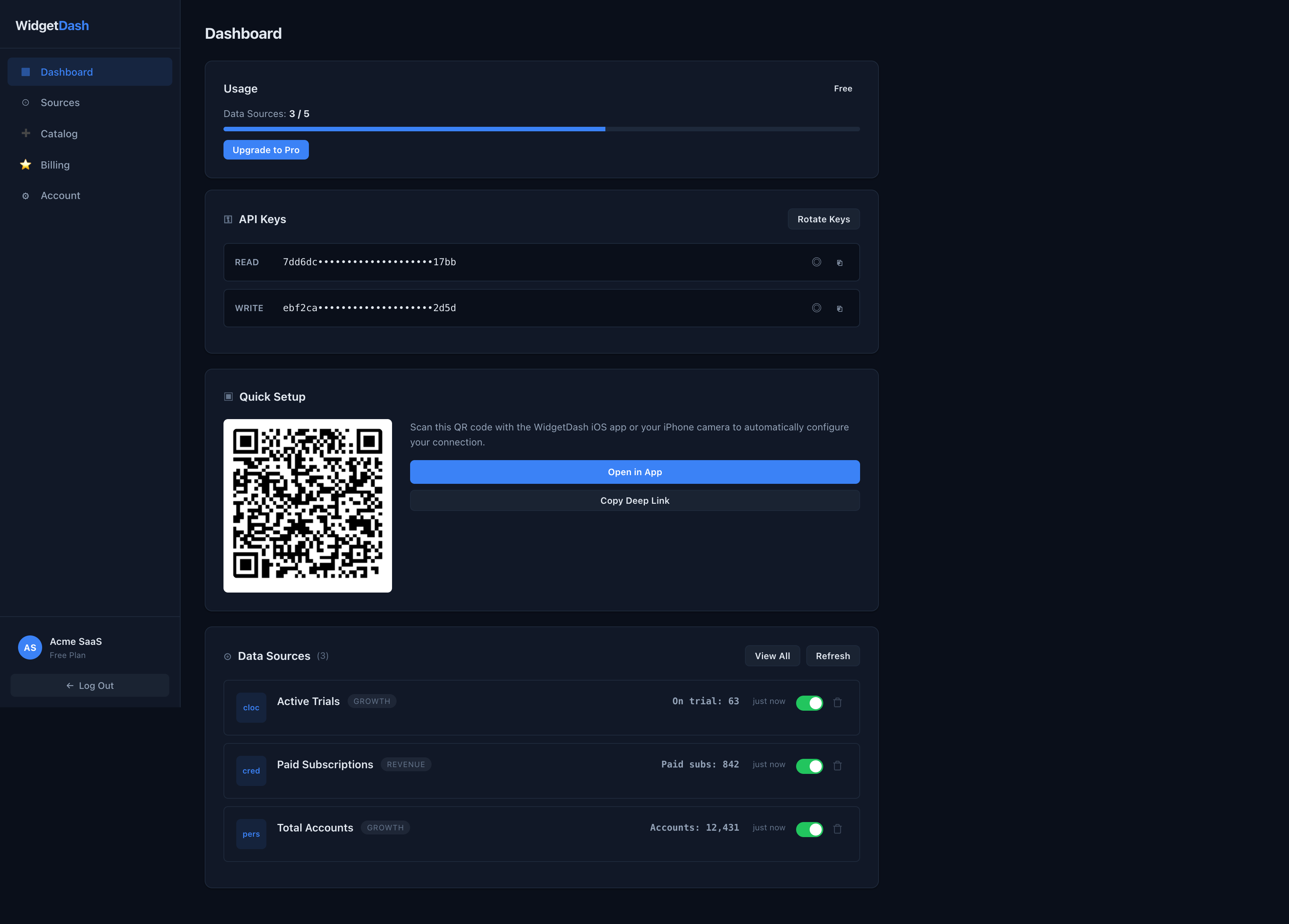
Open the dashboard and copy your WRITE key from the API Keys card. The READ key is used by the iOS app to display data. The WRITE key is how you push data, so treat it like a password.
2Push your first number
A source is created automatically the first time you push to it. One request, no setup:
curl -X PUT https://api.widgetdash.app/api/v1/data/total_accounts \
  -H "Authorization: Bearer YOUR_WRITE_KEY" \
  -H "Content-Type: application/json" \
  -d '{
    "display_name": "Total Accounts",
    "icon": "person.2.fill",
    "category": "Growth",
    "metrics": [
      { "label": "Accounts",  "value": "12,431" },
      { "label": "New today", "value": "+87" }
    ]
  }'
And paid subscriptions:
curl -X PUT https://api.widgetdash.app/api/v1/data/paid_subscriptions \
  -H "Authorization: Bearer YOUR_WRITE_KEY" \
  -H "Content-Type: application/json" \
  -d '{
    "display_name": "Paid Subscriptions",
    "metrics": [
      { "label": "Paid subs", "value": "842" },
      { "label": "MRR",       "value": "$4,210" }
    ]
}'- The source_key in the path (e.g. total_accounts) is lowercase letters, numbers, and underscores. Push to the same key to update it.
- value is a string, so format it however you like: "$4,210", "12.4k", "38%".
- icon is an SF Symbol name that renders on the widget. display_name, icon, and category are optional.
3Confirm it landed
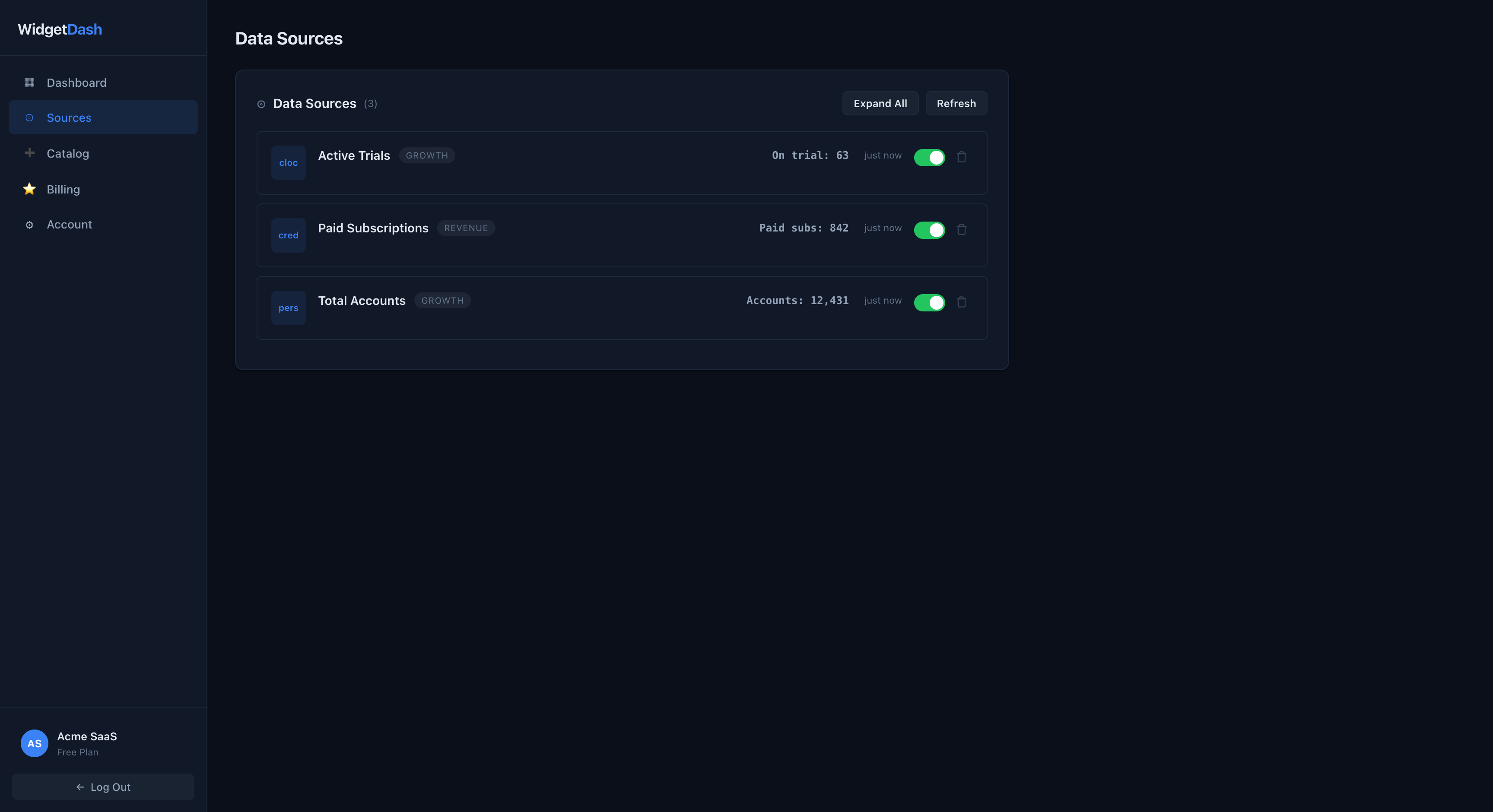
Open Sources in the dashboard. Your sources are there with their latest values. Push again any time and they update in place.
4Add the widget on your iPhone
- Open the WidgetDash app and connect (scan the dashboard QR, or paste your READ key).
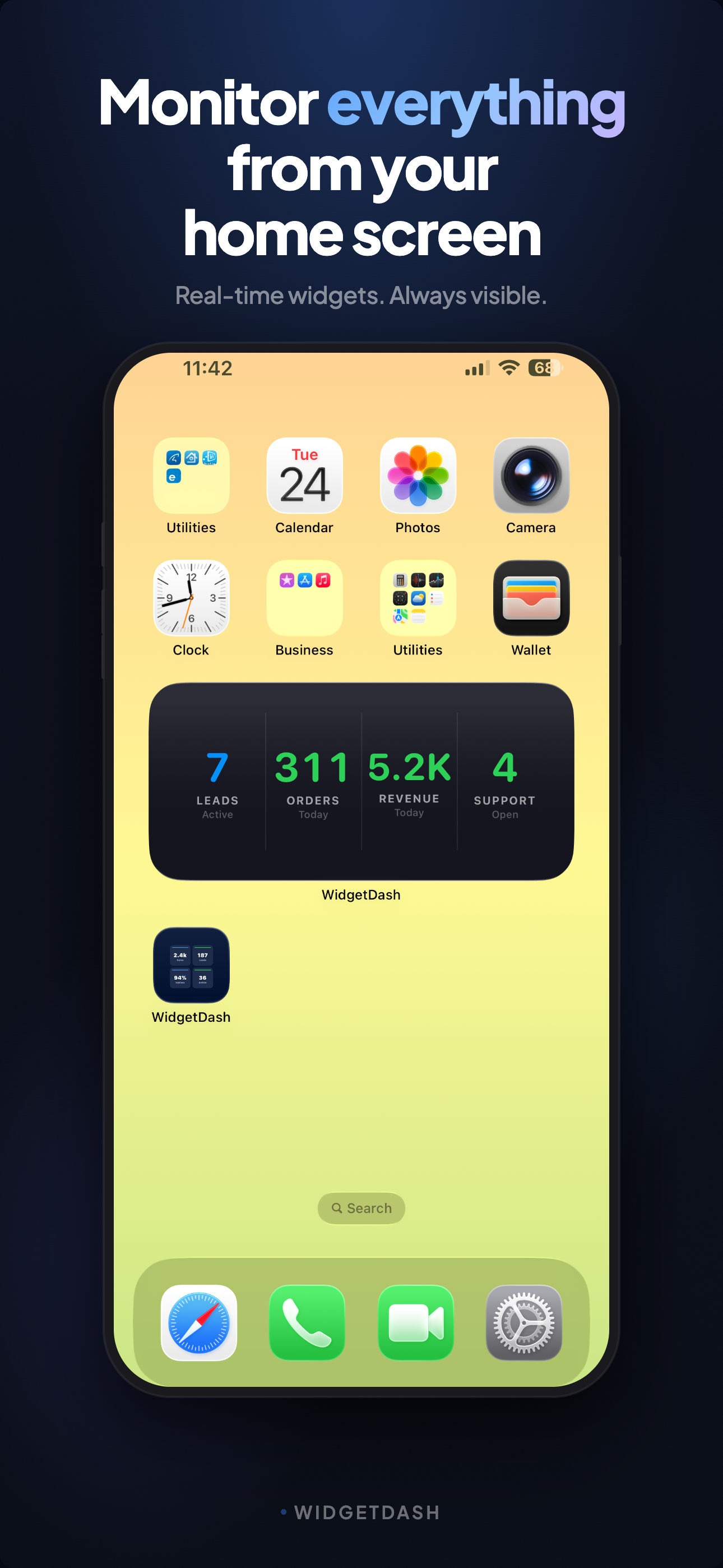
- Long-press the Home Screen → + → search WidgetDash → pick a size.
- Long-press the widget → Edit Widget → choose which source(s) to show.
5Automate it
Point a small script at your database and run it on a schedule. Python:
import requests, psycopg2

WRITE_KEY = "YOUR_WRITE_KEY"
BASE = "https://api.widgetdash.app/api/v1/data"

conn = psycopg2.connect("postgresql://user:pass@host/db")
cur = conn.cursor()
cur.execute("SELECT count(*) FROM users")
accounts = cur.fetchone()[0]
cur.execute("SELECT count(*) FROM subscriptions WHERE status = 'active'")
paid = cur.fetchone()[0]

def push(key, display, icon, metrics):
    requests.put(f"{BASE}/{key}",
        headers={"Authorization": f"Bearer {WRITE_KEY}"},
        json={"display_name": display, "icon": icon, "metrics": metrics}, timeout=10)

push("total_accounts", "Total Accounts", "person.2.fill",
     [{"label": "Accounts", "value": f"{accounts:,}"}])
push("paid_subscriptions", "Paid Subscriptions", "creditcard.fill",
     [{"label": "Paid subs", "value": f"{paid:,}"}])
Run it every 15 minutes with cron:
*/15 * * * * /usr/bin/python3 /opt/scripts/push_widgetdash.pyMore recipes
| You want to see… | source_key | Metrics |
|---|---|---|
| Total accounts | total_accounts | Accounts |
| Paid subscriptions | paid_subscriptions | Paid subs, MRR |
| Signups today | signups_today | Today, vs yesterday |
| Active trials | active_trials | On trial, conversion % |
| Stripe MRR | mrr | MRR, growth % |
Prefer no code? Use a pre-built source
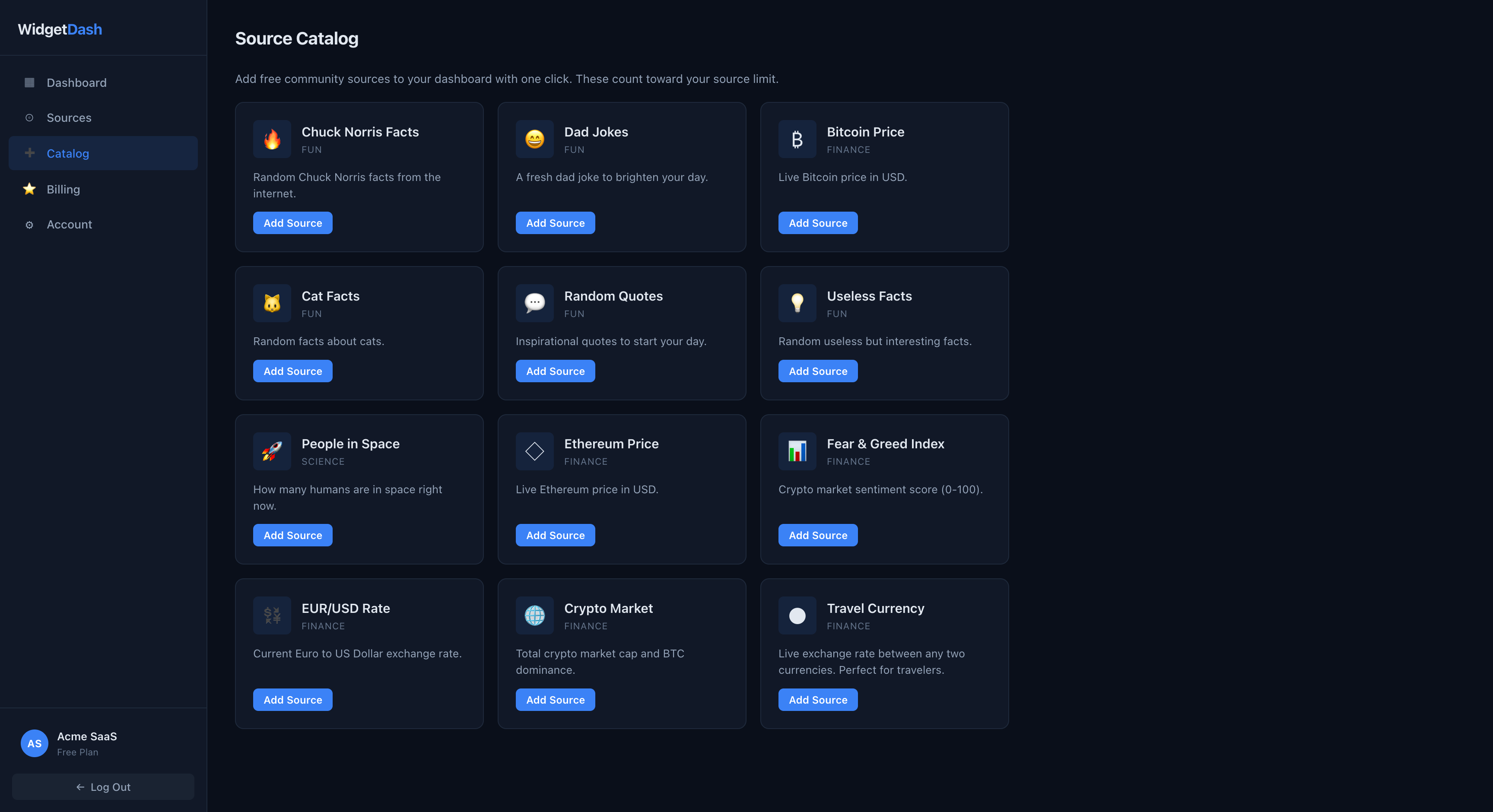
The Catalog has ready-made sources like crypto prices and FX rates. One click to add, no scripting.
Go live: real-time on the Lock Screen & Dynamic Island PRO
Live Activities turn a source into a real-time card on the Lock Screen and in the Dynamic Island. While a source is live, every data push updates the card instantly — no widget refresh delay. Perfect for launch days, deploys, incident dashboards, or watching a metric you care about right now.
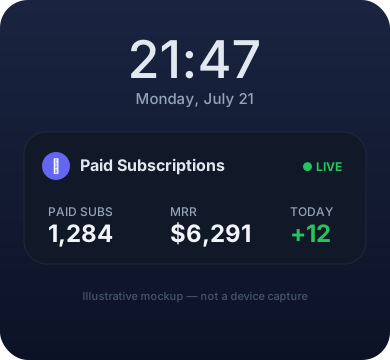
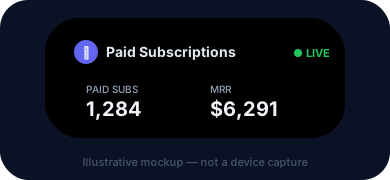
Requirements: Pro plan · iOS 17 or later · starting from the web ("Start on my iPhone") needs iOS 17.2+. Live Activities are rolling out gradually to Pro accounts.
How to use it:
| 1. Enable | Open the WidgetDash iOS app once and allow Live Activities when prompted. This also registers your device for remote starts. |
| 2. Go live | Tap Go Live on any source in the app — or use Start on my iPhone from the web dashboard. |
| 3. Watch it update | Keep pushing data as usual. Each change lands on the card within seconds (updates are spaced ~15s apart to respect iOS budgets). |
| 4. End it | Swipe the card away, end it from the app or web — or let iOS end it automatically (activities run up to ~8h, staying on the Lock Screen up to ~12h). |
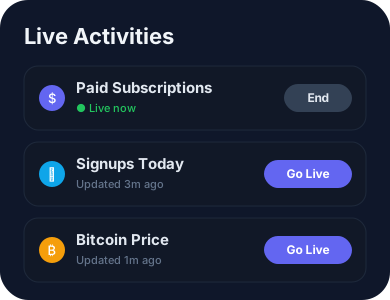
Live Activities are for ongoing sessions, not a permanent dashboard — iOS ends them after a few hours by design. For always-on numbers, the regular Home/Lock Screen widgets are the right tool.
API reference
| Push data | PUT https://api.widgetdash.app/api/v1/data/<source_key> |
| Auth | Authorization: Bearer <WRITE_KEY> |
| Body | { "display_name", "icon", "category", "metrics": [ { "label", "value" } ] } |
| source_key | ^[a-z0-9_]+$. Push to the same key to update |
| Limits | Free: up to 5 sources · Pro: unlimited. Rate limit: 120 req/min. |
| Read data | GET /api/v1/widget with Authorization: Bearer <READ_KEY> |
FAQ
Do I have to create the source first?
No. The first PUT to a new key creates it automatically. Same key again = update.
Does it work with my stack?
Yes. It’s just an HTTP request. Postgres, MySQL, Mongo, Stripe, a webhook, a shell one-liner, anything that can make a PUT. WidgetDash never connects to your database. You push the final number.
What data do you store?
Only what you send: labels and values, plus the source name/icon. No DB credentials, no PII unless you put it in a value. Keep the write key secret.
How often does it refresh on the phone?
Push as often as you like (within 120 req/min). iOS decides when to repaint widgets, and Pro gets faster refresh. Every 5 to 15 minutes is plenty for most metrics.
Read key vs write key?
Write = push data (keep secret). Read = display data (used by the app). Rotate either from the dashboard if one leaks.
Can I show it on the Lock Screen?
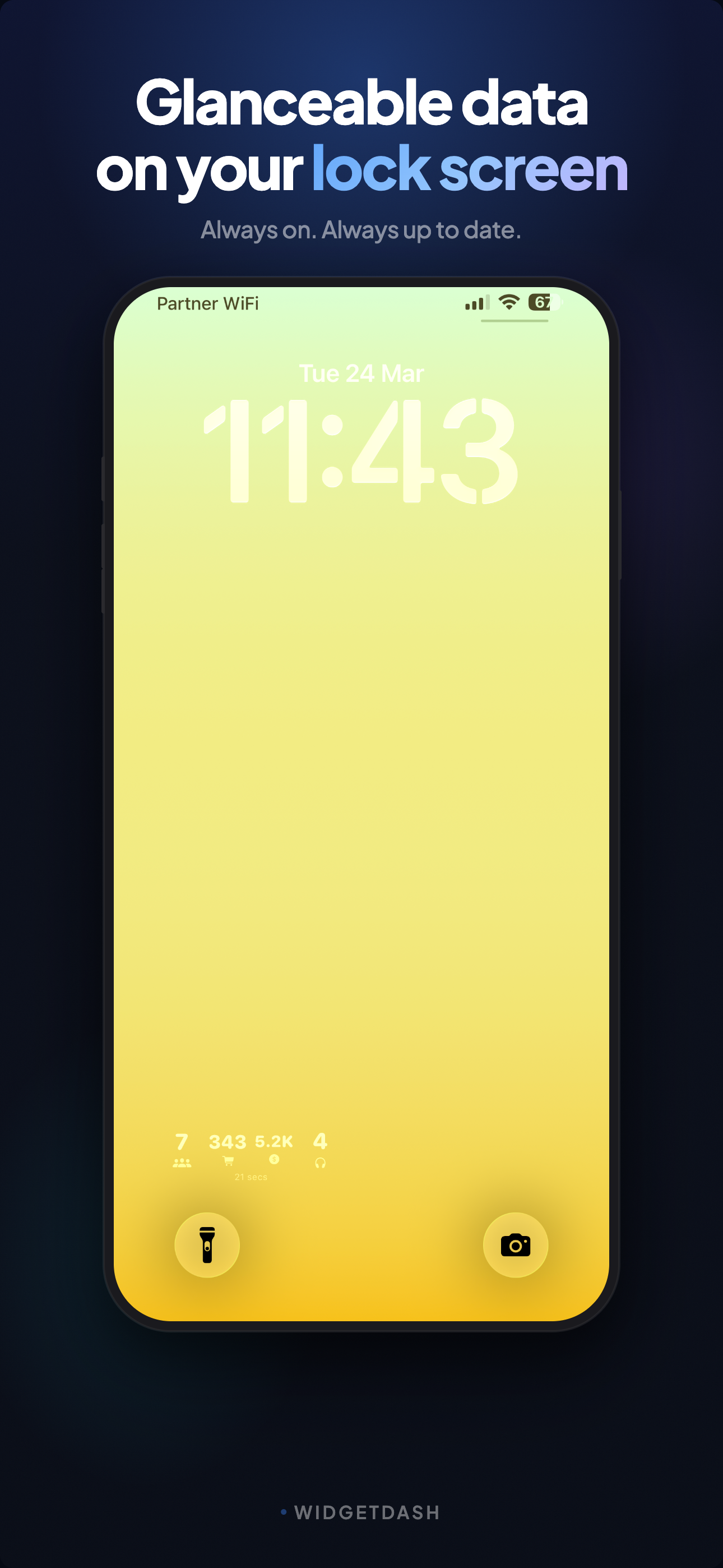
Yes. Small Lock Screen widgets are supported, and Pro users can additionally go live with real-time Live Activities.
How fast do Live Activities update?
Each data push lands on the card within seconds. Consecutive updates are spaced about 15 seconds apart to respect iOS push budgets, and unchanged values aren't re-sent.
What does it cost?
Free for up to 5 sources. Pro is $4.90/mo (or $29.90/yr) for unlimited sources and faster refresh.
Is there an Android version?
Not yet. WidgetDash is iOS-only today.
Your numbers, on your Home Screen, in about two minutes.
Get started free